Beyond Recall: Building Persistent Memory in AI Agents with Cognee

Customer support is notorious for a stateless experience where every call or chat often starts from scratch as if the customer were a stranger. You know what’s frustrating? Having to repeat your issue to every new agent just because their system “forgot” your history. In reality, customers don’t reset between conversations. They expect agents to recall what went wrong last time, what solutions were tried, and their personal preferences.
That’s why memory is critical in support. Keeping continuity makes every interaction smoother and more personal. An agent that remembers your past tickets can immediately suggest follow-ups, spot recurring issues, and resolve problems faster. Research even shows that when support “remembers,” metrics like first-contact resolution and customer sentiment improve dramatically.
In this article, we tackle this problem head-on. We’ll take a real customer support ticket dataset and build two AI assistants:
- A baseline RAG agent that uses only vector similarity (retrieval-augmented generation) and has no memory of previous queries. Each question is answered in isolation.
- A Cognee-powered memory agent that turns tickets into a knowledge graph, enabling the agent to remember customer history and relationships between issues.
We will compare these two to show how a stateless approach often fails on follow-up questions, whereas a Cognee memory layer connects the dots for more coherent, context-rich support.
Problem Overview
A stateless RAG (Retrieval-Augmented Generation) agent answers each query by semantic search alone. It chunks data (e.g., ticket texts) into embeddings and, for each question, finds the nearest text snippets to include in a prompt for the LLM.
More importantly, it forgets everything between queries. Ask a follow-up or anaphoric question, and it has no record of the prior context. Large language models without memory “behave like interns with short‑term memory loss”, one answer is given, but the very next question is treated as if nothing was discussed.
In short, every query to a pure RAG agent is an independent event. If I first ask:
What issue did Rebecca Gilmore report on ticket #42?
It might find the right ticket text and answer. But if I immediately ask “Has this happened before?”, the agent has no context or knowledge of “Rebecca Gilmore” or ticket #42 from the previous step. It has to guess from scratch.
Another issue is that typical RAG pipelines can be brittle. They often rely on keyword overlap or vague semantic matches, so queries can pull irrelevant chunks. Studies have shown RAG pipelines “fall apart” on some critical problems.
For example, a sports car query might return “Model X Sport Refresh” instead of a relevant result like “Porsche Taycan.” Updating indexes to fix these mismatches also becomes operationally expensive.
Cognee Memory Layer
Cognee takes a different, memory-first approach. Instead of treating documents as isolated text chunks, it constructs a knowledge graph of entities and events extracted from your data. In the context of customer tickets, that means identifying customers, tickets, issues, products, dates, and resolutions. It then links them with relationships such as “opened_ticket”, “reported_issue”, or “resolved_by”.
“Alice opened Ticket 42 about a login issue resolved by Bob” becomes nodes (Alice, Ticket 42, login issue, Bob) with role-based edges. This structure lets the agent trace connections leading it directly to Alice’s past login tickets.
Cognee adds a persistent memory layer on top of RAG. Every query can leverage both graph traversal and semantic search. This hybrid approach means answers come from actual relationships in your data, not just closest-in-vector-space chunks. The result is context-aware retrieval that carries over across sessions and gives support agents what they need to remember returning customers and recurring patterns.
Solution
Below, we outline the architecture and scope of our demo. We’ll ingest support tickets into Cognee, build the knowledge graph, and query it. At each step, we compare against the stateless baseline.
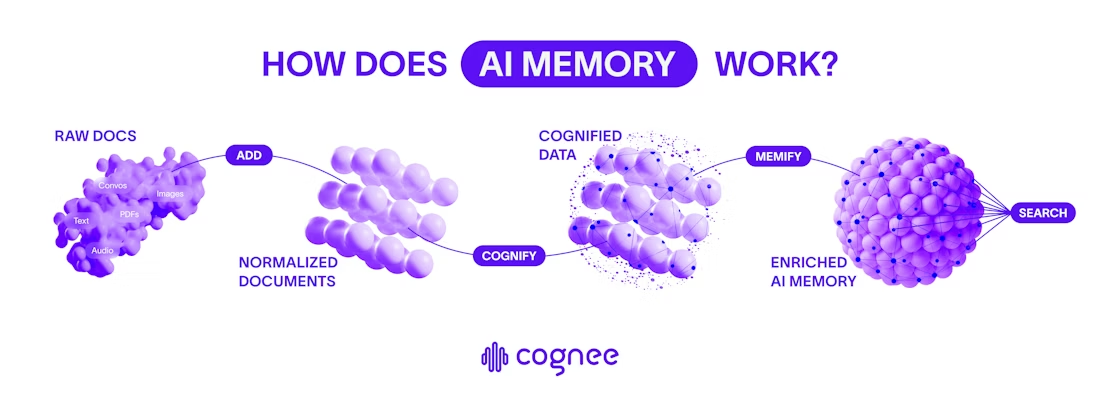
Figure: Cognee's memory pipeline for AI (Add → Cognify → Memify → Search)
Data Flow
1- Add (Ingest): Support tickets go through cognee.add(), which extracts text, flattens JSON, deduplicates, and stores everything in Cognee/LanceDB.
2- Cognify (Graph + Embeddings): cognee.cognify() extracts entities and relationships, builds triplets, chunks text, and generates embeddings. With temporal_cognify=True, it also adds time-aware facts.
3- Memify (Optimize Memory): cognee.memify() prunes stale nodes, strengthens frequent connections, and reweights edges. It’s incremental, letting the graph evolve as new tickets arrive.
4- Search (Contextual Retrieval): cognee.search() mixes vector search with graph traversal to return context-rich answers. Use RAG_COMPLETION for retrieval-style responses and GRAPH_COMPLETION for relationship reasoning.
This flow can be summed up through Cognee’s Extract–Cognify–Load pipeline. Raw inputs move into normalized documents, which then become a knowledge graph with embeddings, and finally lead to searchable answers. Before we dive into the code, here is what this article covers and what it doesn't.
In-Scope
We'll implement both agents (stateless RAG vs Cognee memory), ingest the Kaggle support tickets, run the pipeline, and handle simple user feedback.
Out-of-Scope
We won’t deploy a production service or connect to a live CRM. Advanced NLP (like summarization beyond Cognee’s basics) and building a custom ontology are also out of scope.
Setup & Dependencies
First, install and import our libraries. We’ll use Cognee’s Python SDK (v0.3.8), data tools (pandas, numpy), vector libraries (sentence-transformers for embeddings, FAISS/Chroma for indexing), OpenAI (as LLM provider), and some plotting/network packages for later visualization.
Here are the installations:
The imports required are as follows:
Set up your OpenAI API key for Cognee to use. The code below runs in a Colab Notebook environment:
This setup confirms that Cognee’s APIs and our LLM (OpenAI) are ready. The imports include tools for embedding sentences (SentenceTransformer), indexing (faiss for vectors; chromadb as an alternative), and visualizing (matplotlib, networkx).
Note: Cognee is available as an open-source Python SDK. It supports 30+ data connectors and can integrate with many vector or graph stores. Here we’ll use local processing and LanceDB and Kuzu by default, as per Cognee’s default database stack.
Dataset Understanding & Preprocessing
We will use the Customer Support Ticket dataset. Each row represents a support ticket with fields like ticket ID, customer name/email, Issue type, ticket description, status, priority, resolution, creation/update timestamps. Here’s how the first ten rows look like:
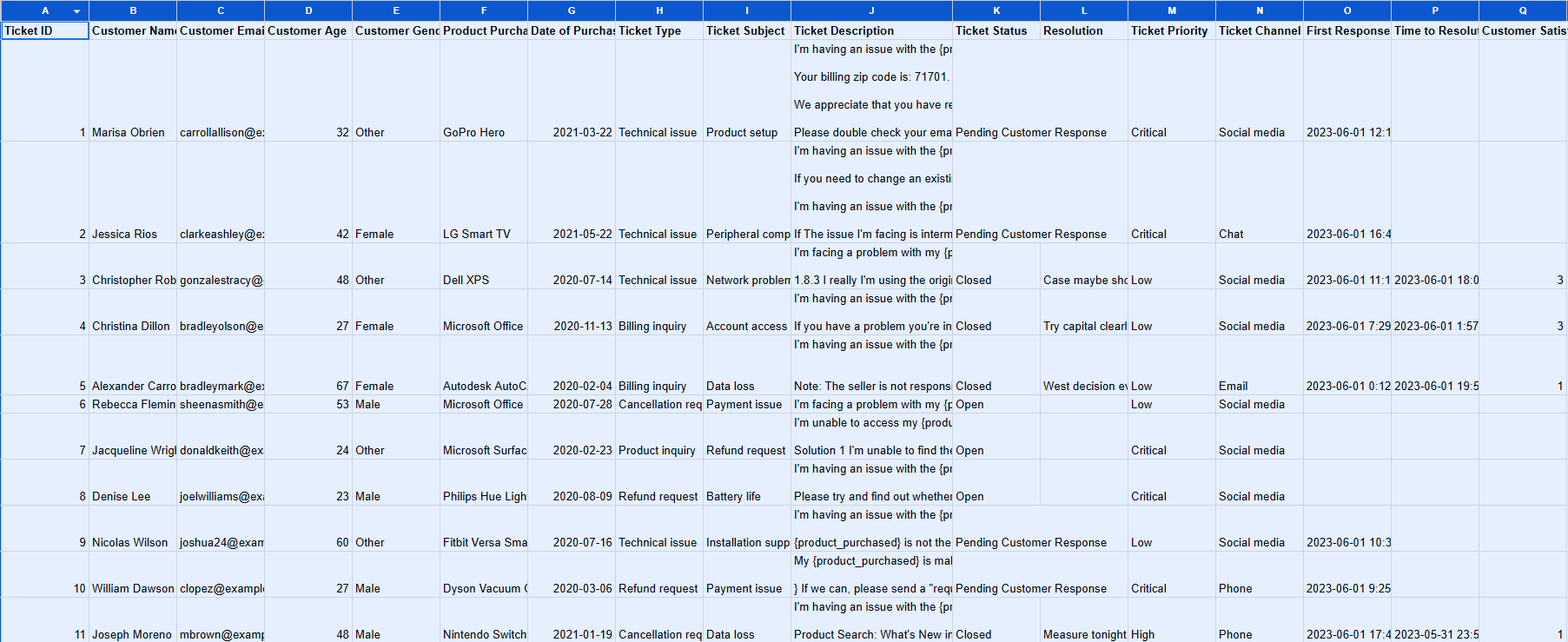
Fig: First Ten Rows of the Customer Support Ticket Dataset
Let’s load and inspect the basic structure:
We should check for missing data:
If critical fields are missing (like Customer ID or Description), we fill in default values with the fillna() function
For consistency, rename columns to generic names our code will use:
From these, the relationships we focus on are mainly the connection between customers and tickets to show who opened what, tickets and issue types, and tickets and resolutions. We also track sequential relationships over time, such as repeated tickets by the same customer.
Preparing Data for Cognee
We create a natural-language summary for each ticket, which Cognee will process. This helps the LLM extract entities from text. A sample function:
This produces entries like Customer Alice opened ticket 123 regarding Billing on 2023-07-15. Description: ... Priority: High. Status: Open. Resolution: ....
Building the Stateless RAG Agent
First, we implement a classic RAG pipeline over the ticket documents. We embed each ticket description into an FAISS index:
This function embeds the user query, finds the top-k similar tickets, concatenates them as context, and asks GPT-5 to answer. The RAG approach has no memory beyond each query.
Limitation Demonstration
If we run:
A follow-up question based on the previous one:
The first query returns information inferred by the LLM from the most relevant tickets. However, the RAG-based retrieval failed to find the ticket related to Marisa Obrien. Additionally, the second query lacks any context about who “this customer” is, since each request is handled independently. In practice, stateless RAG produces generic responses that don’t take cross-ticket relationships into account. We will explore how Cognee addresses this limitation using persistent memory in a later section.
In summary, our RAG baseline simply retrieves relevant ticket texts for each query and feeds them to the LLM.
Building the Cognee-Powered Agent
Now we add Cognee’s memory engine on top of the same data.
Data Ingestion
First, we reset Cognee’s state and ingest all our ticket documents:
The cognee.add() call normalizes our data into Cognee’s storage. Under the hood, Cognee converts CSV rows to plain-text, computes content hashes (avoiding duplicates), and stores each as a record tagged to the “support_tickets” dataset.
No embeddings or graphs are built at this stage yet. Each record keeps metadata like source, dates, etc.
If the batch add fails (e.g., API rate limits), we could split it and retry. Once done, Cognee reports how many items are ingested, and we proceed. At this point, Cognee has a flat collection of ticket text ready for the next phase.
Knowledge Graph Construction
Next, we run the core of Cognee’s pipeline:
This call tells Cognee to process all documents in “support_tickets”. Cognee’s LLM scans each ticket summary and identifies entities and relationships. For example, from “Customer Alice opened ticket 123 regarding Billing on 2023-07-15…” Cognee extracts triplets as follows:
(Alice, opened_ticket, Ticket_123)
(Ticket_123, issue_type, Billing)
(Ticket_123, created_date, 2023-07-15)
It effectively builds a knowledge graph of the support data.
Meanwhile, it also chunks and embeds the text. Each ticket ends up represented in two ways: as part of the graph connected to other nodes via edges and as a vector in the similarity index.
Importantly, the graph links bring in context. Because we also passed temporal_cognify=True, the engine also tags edges with their event dates, enabling temporal queries later.
The key output here is a hybrid store. We now have a knowledge graph plus a vector database. This duality means every ticket is “living” in a web of relationships, not just a stray document. You can visualize the graph using the following command: cognee.visualize_graph()
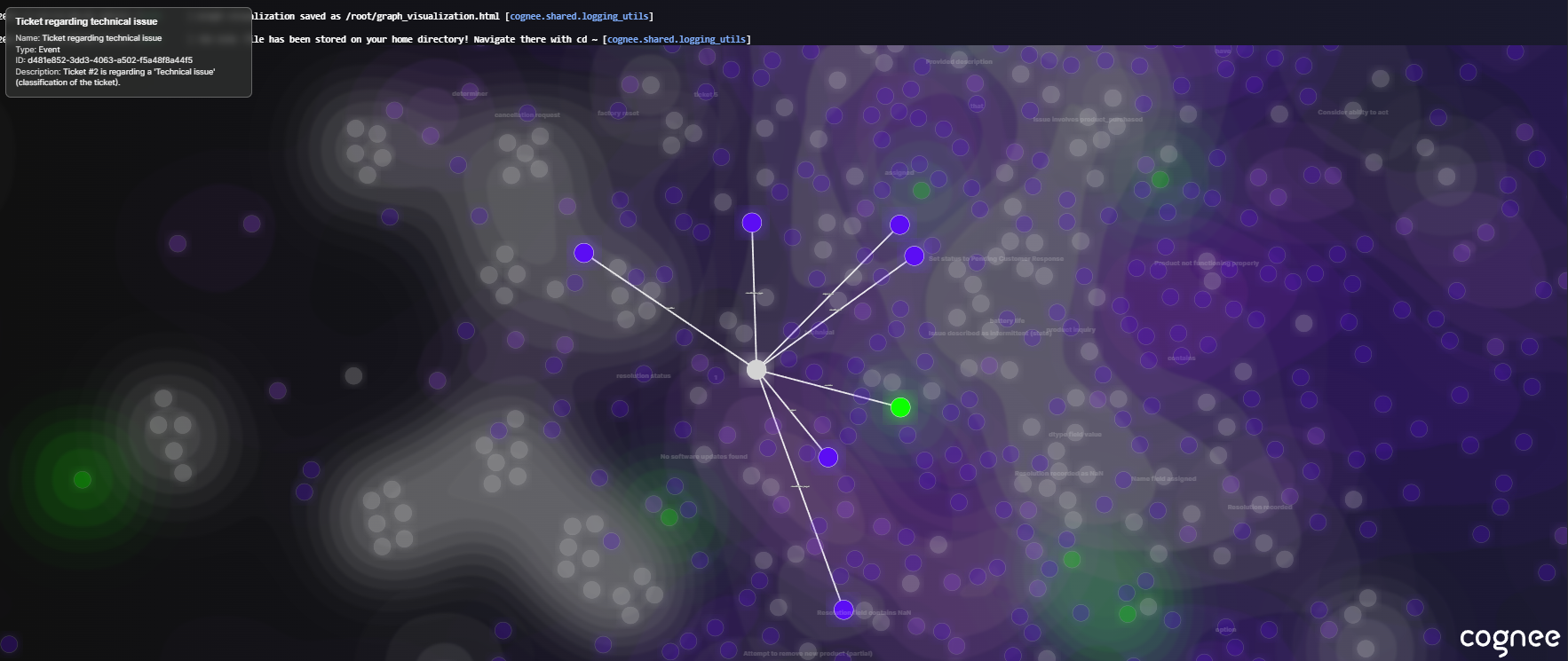
Fig: The Initial Knowledge Graph of Cognee
Memory Enhancement
With the initial graph built, we run Cognee’s memify step:
Memify goes through the graph, removes outdated nodes (e.g., if a ticket was marked duplicate), and strengthens connections that appear often.
It works in three stages. First, it reads existing data into structured DataPoints. Next, it applies memory logic, ML models, and temporal reasoning to strengthen associations and infer links. Finally, it writes enhancements back to the graph, vector store, and metastore. To compare simply the difference between cognify and memify, here’s a simple example: we uploaded four sentences and ran the two commands sequentially. Here are the graphs:
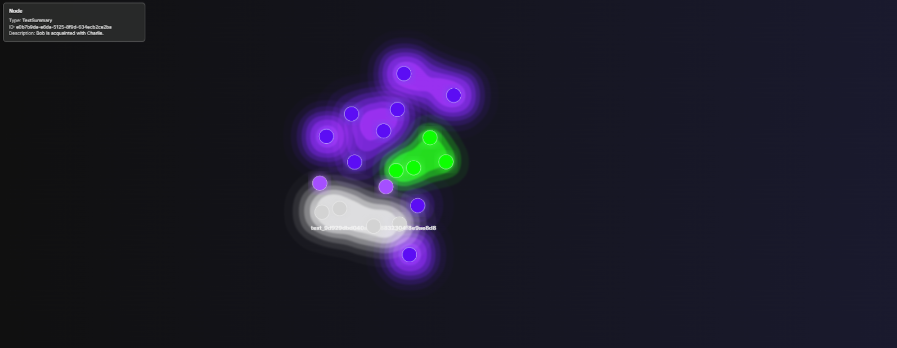
Fig (Before Memify): The Points and their Relation are Added into the Knowledge Graph.
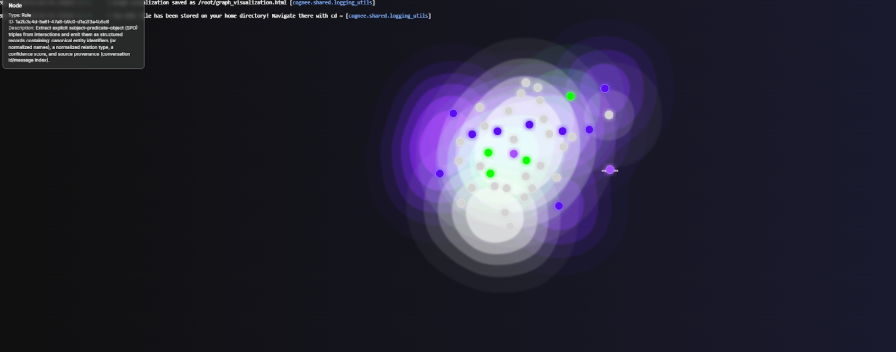
Fig (After Memify): The Points Now Also Have Associated Rules According to the Added Point
Implementing Context-Aware Retrieval
With our memory in place, let’s query the Cognee agent.
By default, we use a graph-focused completion mode (SearchType.GRAPH_COMPLETION), which prioritizes structured graph traversal while still optionally using vector hints when available. Instead of treating the graph as an add-on to RAG, this mode makes the knowledge graph the primary reasoning engine.
Passing a session_id groups the searches into a session, so we can attach feedback to individual answers later.
Comparative Scenario: Billing Issues
For the stateless RAG agent, the LLM was not able to find an answer from the documents.
For the same query, Cognee's answer is accurate:
Implementing Feedback Loops
One of Cognee’s powerful features is learning from feedback. We’ll show how to log and apply feedback so the memory graph improves.
Capturing Interaction Feedback
Feedback in cognee 1.x is a memory entry, not a search type. First record the question and the answer the agent gave as a QAEntry; cognee returns an entry_id for it:
After presenting this answer to a user, we might ask, “Was this helpful?” If the user says yes or no (or we infer it), we attach a FeedbackEntry to that Q&A:
memify() applies the accumulated feedback to the graph elements that produced the answer. Subsequent searches take those weights into account; the feedback_influence argument on cognee.search() controls how strongly.
Learning from Feedback
Over multiple iterations, the system self-optimizes. As feedback is tied to specific graph paths, stronger paths are reinforced, weaker ones are visible, nothing is deleted, but useful connections get higher weights.
Over time, the knowledge graph learns which relationships truly answer questions. This is a form of auto-optimization where no manual prompt tweaking is needed. The system tunes itself to user reactions.
By contrast, a stateless RAG system typically has no such feedback integration. In Cognee, feedback is built in: record the Q&A, attach a FeedbackEntry, run memify(). The result is an adaptive memory where the more people interact, the smarter it becomes.
Visualization & Analysis
To make these ideas concrete, we can visualize the knowledge graph and retrieval paths.
Graph Visualization
Cognee provides tools to inspect the memory. For example, await cognee.visualize_graph() can output an interactive HTML of the current knowledge graph. You’ll see nodes (like customers, tickets, issues) and edges linking them. Even without that, we can sketch a simple graph using NetworkX for demonstration:
This creates a graph. In a full Cognee visualizer, you could click nodes and see their edges:
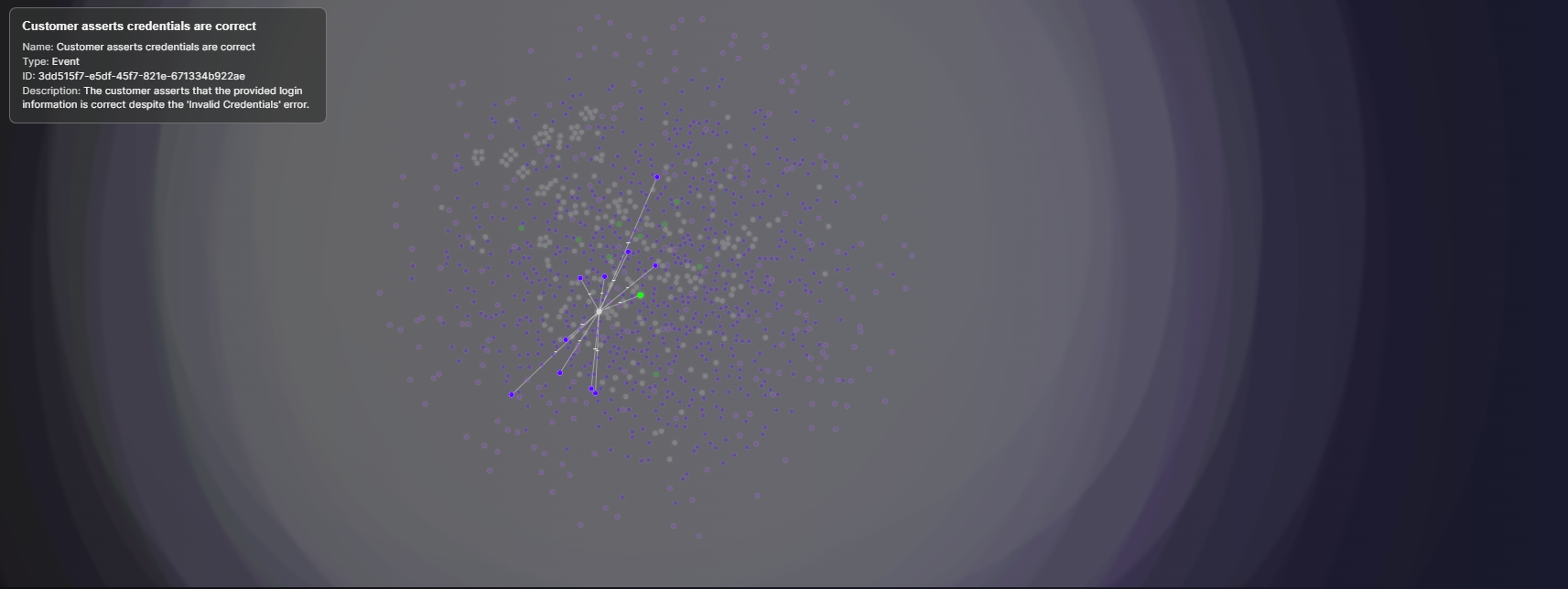
Fig: A Node Representing a Customer Query where the Login Credentials were Correct, but the Platform still Returned an Error.
Demonstrating Persistent Memory
We can already see a lot of subgraphs forming in the knowledge base, and one of them is shown above. To make this more concrete, the snippet below extracts a single customer’s full ticket history, builds a small distribution of their issues, and then runs multi-hop queries through Cognee’s graph.
Here’s the side-by-side comparison of stateless RAG & Cognee:
For Cognee, on the other hand, for the same query, the result is very complete:
Now, we will ask a follow-up question to Cognee:
Measuring the impact of the memory layer can be done with metrics such as correctness or completeness. It checks how fully the response matches the key facts and claims in the ground truth. This requires creating ground truth data or human-in-the-loop evaluation, and is worth the effort before moving into the wild.
Results & Key Insights
By using the graphs and vectors together, Cognee improves answer accuracy and relevance. Early benchmarks of Cognee versus RAG report substantially higher reliability, around 90% accuracy for graph-enhanced queries compared with 60% for plain RAG.
From a user experience viewpoint, Cognee’s answers feel more personalized. Instead of generic text, the agent cites actual customer history. This aligns with the data since support systems with memory drive efficiency and customer trust. Generic RAG might get the facts of a single ticket right, but without memory, it misses the story.
When to Use Cognee vs. Traditional RAG
- Use Cognee (memory) when multi-session context matters. Examples include customer support (as shown), personalized assistants, research or case management, and tutoring systems that recall student progress. For instance, a medical assistant who remembers patient history or a DevOps bot that learns your infrastructure nuances.
- Use Traditional RAG when queries are truly independent, and simplicity is key. For example, a quick FAQ bot where each question is separate, or rapid prototyping, where you don’t need the overhead of a full memory layer. RAG is straightforward and fast if every user query stands alone.
- Use a hybrid approach when both simplicity and memory are needed. If users soon find “Why are you asking me details I already gave you?”, it’s time to layer in Cognee. RAG is good for initial demos, but in production, you need that memory layer.
Conclusion
Standard RAG agents are like goldfish; impressive at one question but forgetful by the next. They struggle with continuity and answer correctness, which is costly in customer support, where each user’s history matters. Cognee’s memory layer changes this dynamic. It turns ticket data into a living knowledge graph of DataPoints linked by relationships, enabling AI agents to remember, reason, and learn from each interaction.
If you want your AI agent to truly understand data, not just recall text snippets, building this kind of memory is key. Cognee is the fastest way to start building a reliable AI agent memory.
Getting Started
To try this yourself: clone Cognee’s GitHub repository for full examples and notebooks. Cognee supports 30+ data sources (CSV, PDFs, SQL, APIs, etc.), so you can feed it your own support tickets or any enterprise data.
Join the Cognee community for help and inspiration. The Discord server and GitHub community are active with users building memory layers for all kinds of AI agents.
In the end, memory is the new muscle of AI. A system that forgets feels robotic and frustrating. But one that remembers builds trust and delivers personalized, human-like service. Cognee’s blend of graphs + vectors, powered by your data and user feedback, makes that possible. Start experimenting today, and let your agents remember what matters.