Codebase Memory: What It Is and How to Give AI Coding Agents Persistent Memory of Your Repository

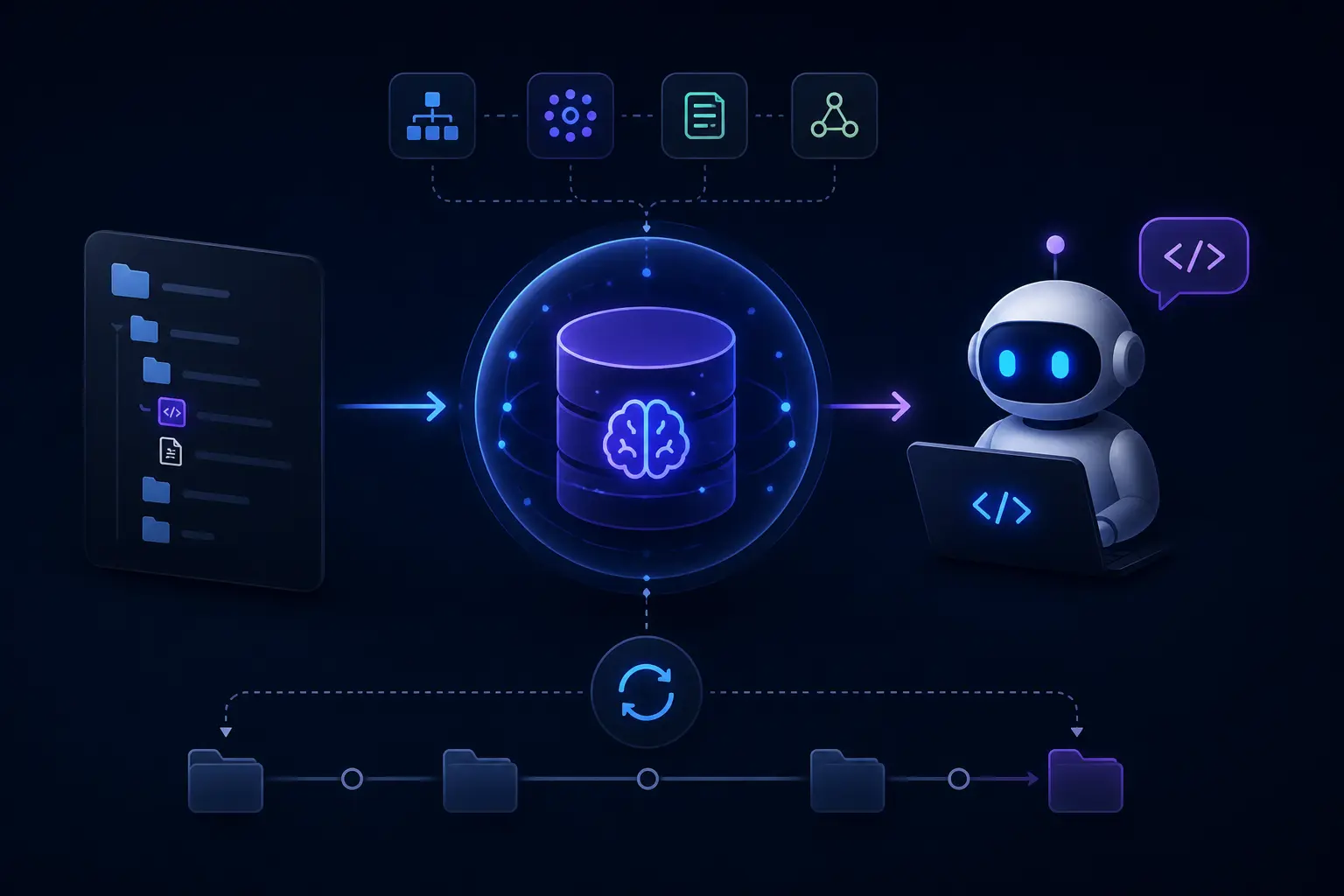
Every coding agent starts each session by rediscovering your code. It greps for a function, opens five files, builds a mental model, does the task, and throws the model away when the chat ends. The next session repeats the process, spending tokens and minutes on knowledge that has not changed since yesterday. Codebase memory is the fix for that loop: a store that keeps what the agent learned about the repository and returns the relevant part on demand. This guide covers what codebase memory is, what it should contain, the approaches that do and do not work, and how to add it to the agents you already use.
What is codebase memory?
Codebase memory is persistent knowledge about a repository that survives between agent sessions and is retrieved selectively rather than loaded wholesale. It has three layers, and most setups have only the first.
| Layer | What it holds | Example question it answers | Usual form today |
|---|---|---|---|
| Conventions | How the team wants code written and the agent to behave | "Which test runner do we use?" | AGENTS.md, CLAUDE.md, .cursor/rules, .github/copilot-instructions.md |
| Structure | What the code is: files, symbols, calls, imports, routes, data flow | "Who calls authenticate()? What breaks if I change it?" | Nothing persistent; re-derived by grep and file reads |
| Decisions | Why the code is the way it is: trade-offs, incidents, rejected approaches | "Why does billing bypass the cache?" | Nothing; lost in chat history, PR threads and people's heads |
Instruction files are codebase memory, but only the thinnest layer, and they are prompt-bound: everything in them is loaded every turn, so they must stay short. The structure and decision layers are where the repeated cost sits, and they need a store the agent can query rather than a file it must read.
Why do coding agents need codebase memory?
Three reasons, each of which gets worse as the repository grows.
- Token and time cost. An agent that reads 30 files to find the three that matter spends context on the 27 that do not. On a large monorepo, orientation can dominate a task. Codebase memory turns a read-everything step into a lookup.
- Incomplete models. Agents only know what they opened. If the caller of a function lives in a file the agent did not read, it does not exist as far as the change is concerned. This is the source of "it compiled, then broke in production" edits.
- Lost reasoning. Decisions are made in chats and PR reviews and never land anywhere the next session can see. The agent re-proposes the approach that was rejected last month, with the same confidence.
The persistent codebase memory how-to goes into the failure modes in more detail; the short version is that an agent without codebase memory is a very fast new hire on their first day, every day.
Why embeddings alone are not codebase memory
The default answer to "give the agent memory of the code" is to chunk the repository, embed the chunks and retrieve the nearest ones at query time. Every IDE agent does this for its own search, and it is useful. It is not codebase memory, for three reasons.
First, similarity is not structure. "Who calls authenticate()" is a question about edges, not about which chunks look like the word authenticate. Vector search returns the function's definition, its tests, a docstring that mentions it, and perhaps two of its eight callers. The missing six are exactly the ones that will break.
Second, chunks have no identity. The same function appears in several chunks, renamed symbols split history, and there is no way to say "this fact is about that function" rather than "this text is near that text". Without identity you cannot attach decisions to code, so the decision layer never connects to the structure layer.
Third, embeddings go stale invisibly. A re-embedded repository is a new set of vectors; nothing tells you which answers changed. A graph can be diffed.
Embeddings have a role in codebase memory: they are the right way to search docstrings, READMEs, issue text and decision notes by meaning. They are the wrong primary representation for the code itself. The vector databases vs knowledge graph frameworks comparison covers the general argument; code is the case where it is most clear-cut.
How a code graph provides codebase memory
A code graph stores the repository as nodes and edges: files, modules, classes, functions and variables as nodes; calls, imports, defines, inherits, reads and writes as edges, plus routes and handlers for web code. Questions about structure become graph traversals, which are exact and fast.
cognee builds this graph with a deterministic extractor: parsing, not prompting. There are no LLM calls and no embeddings in the indexing step, so a large repository indexes in seconds to minutes, costs nothing in API spend, and produces the same graph every time from the same commit. That last property matters for CI: index on every merge and the graph is never behind main.
Once indexed, the graph is queried through SearchType.CODE in the SDK, through the code_search tool on the MCP server, or through agent plugins. The operations map directly onto what coding agents ask:
| Operation | What it answers |
|---|---|
query_facts | Exact lookups: definitions, callers, callees, importers of a symbol |
explore | Neighbourhood of a node: everything one or two hops from a function or file |
traverse | Follow a relation transitively: the full dependency closure of a module |
find_path | How does A reach B: the call chain from an HTTP route to a database write |
impact_analysis | What is affected if this symbol changes, across the whole repository |
delta | What changed structurally between two indexed commits |
architecture | Module-level map: packages, layers, entry points, hotspots |
insights | Derived observations: cycles, god modules, dead code, risky fan-in |
ask | Natural-language question routed to the operations above, with an LLM only at the answer step |
Because the answer comes from the graph, the agent gets a complete list of callers rather than a sample, and it gets them without opening a single file. Documentation can be indexed alongside the code (set CODE_GRAPH_DOCS when ingesting) so that READMEs and design notes attach to the modules they describe. The code graph guide in the docs covers the extractor, supported languages and query syntax.
Attaching decisions to code
The same graph can hold the third layer. When an agent records "we bypass the cache for billing because of the double-charge incident in March", cognee stores it as a fact linked to the billing module node, with a timestamp. Later, explore on that module returns the decision next to its callers; impact_analysis on the cache layer surfaces the constraint before anyone removes it. Facts that change over time are kept with validity windows rather than overwritten, so "why" questions can be answered as of any date. Time-aware memory explains how superseded facts are handled.
This is the point where codebase memory stops being a search feature and becomes memory: the structure, the decisions and the conversation history share one store and one identity scheme.
How to add codebase memory to your coding agent
The setup is the same regardless of agent because the memory lives in a server, not in the editor.
1. Run cognee
Self-hosted with Docker:
Or use Cognee Cloud, which has a free tier and the same tools. The MCP overview and local setup pages cover both.
2. Index the repository
From Python:
Agent plugins wrap the same step: openclaw cognee index-repo /path/to/repo for OpenClaw, and the Cursor, Claude Code and Codex integrations expose a codebase skill that indexes the open workspace. Re-run on merge, either from CI or a post-merge hook; because indexing is deterministic and does not call an LLM, doing it on every merge is cheap.
3. Connect the agent
Add the server to the agent's MCP configuration and it gains code_search next to remember and recall:
| Agent | Where the config lives | Guide |
|---|---|---|
| Cursor | .cursor/mcp.json | Cursor memory, docs |
| Claude Code | .mcp.json or claude mcp add | Claude Code memory, docs |
| Codex | ~/.codex/config.toml | Codex memory, docs |
| OpenClaw | ~/.openclaw/openclaw.json via the plugin | OpenClaw memory, docs |
| Hermes Agent | Memory provider config | Hermes Agent memory, docs |
| Cline, Continue, Claude Desktop | Their MCP settings | docs |
4. Tell the agent when to use it
Agents call memory tools when asked and otherwise forget they exist. A short always-on instruction fixes that. In AGENTS.md or the equivalent:
That is the whole loop: structure from the graph before the change, decisions from memory before the proposal, new decisions recorded after. Building self-improving skills for agents shows how to package instructions like these as a reusable skill that gets better with use.
What to put in codebase memory, and what to leave out
- Index the code the agent edits, not every vendored dependency. Dependency graphs are large and rarely the question; index them separately if an agent works on them.
- Index docs with the code. Architecture notes and ADRs attach to modules and make
architectureandaskmuch better. - Record decisions at the moment they are made, with the reason. A decision without a reason is a rule the next agent will argue with.
- Keep conventions in instruction files. They belong in the prompt; moving them to memory makes the agent inconsistent.
- One dataset per repository, with cross-repository questions answered by searching several datasets, so recall for one codebase does not surface another's decisions.
- Re-index on merge, not on a timer. The graph should correspond to a commit.
deltabetween two indexed commits is also a useful review artefact in its own right.
Codebase memory vs related terms
- Codebase memory vs code search. Code search finds text; codebase memory answers structural and historical questions and persists what the agent learned. Search is a component of memory.
- Codebase memory vs RAG over code. RAG retrieves chunks that look like the query; a code graph returns exact relations. Use RAG for prose attached to the code, the graph for the code.
- Codebase memory vs agent memory. Agent memory is the general term for everything an agent persists: user preferences, conversation facts, task state. Codebase memory is the subset about a repository, and it needs a representation (the graph) that general conversation memory does not.
- Codebase memory vs instruction files. Instruction files are the convention layer, loaded on every turn. Codebase memory is retrieved per question and can be far larger.
MCP memory covers how the memory server exposes these tools to any MCP client, and the persistent codebase memory how-to walks through a full ingestion with the Python SDK. For the general case of memory across tools, see the best open-source AI memory tools.
FAQ
What is codebase memory for AI coding agents?
Codebase memory is persistent, queryable knowledge about a repository that an agent can consult between sessions: the conventions the team follows, the structure of the code (symbols, calls, imports, routes) and the decisions behind it. It replaces the per-session re-reading agents otherwise do and lets them answer questions like "who calls this" or "why is this here" exactly.
Is AGENTS.md or CLAUDE.md codebase memory?
They are the conventions layer of it: short, prompt-bound instructions loaded on every turn. They are not the structure or decision layers, which are too large for a prompt and need to be retrieved per question from a store such as a code graph.
Why not just embed the codebase?
Embeddings find text that resembles the query, which is the wrong tool for structural questions. "All callers of this function" is a question about edges, and vector search returns a sample of similar chunks rather than the complete set. Embeddings are useful for the prose around code (docs, decisions); a code graph is the right representation for the code itself.
How does cognee build a code graph?
With a deterministic extractor that parses the repository into files, symbols, calls, imports and other relations, without LLM calls or embeddings. Indexing is fast, free of API cost and reproducible from a commit, so it can run on every merge. Queries go through SearchType.CODE, the MCP code_search tool or the agent plugins.
Which coding agents can use cognee codebase memory?
Any MCP client, including Cursor, Claude Code, Codex, Cline, Continue and Claude Desktop, plus OpenClaw and Hermes Agent through their plugins. Because the memory lives in a server rather than in the editor, all of them query the same graph and the same recorded decisions.
How do I keep codebase memory up to date?
Re-index on merge from CI or a post-merge hook. Indexing is deterministic and does not call an LLM, so it is cheap enough to run every time. The delta operation then reports what changed structurally between two indexed commits.
Does codebase memory replace code search in the IDE?
No. IDE search stays useful for finding text quickly. Codebase memory adds what search cannot do: complete structural answers, impact analysis across the repository, and decisions attached to the code they concern, all persisted across sessions and shared across agents.
Related reading